
If you use DSers to fulfill your orders, you can easily add a CWILL Tracking tracking link to provide customers with a seamless tracking experience.
Here is the instruction
Step 1
Copy your CWILL Tracking tracking link as shown below, yourstorename should be replaced with the actual name of your Shopify store
https://yourstorename.com/apps/parcelpanel?nums=Step 2
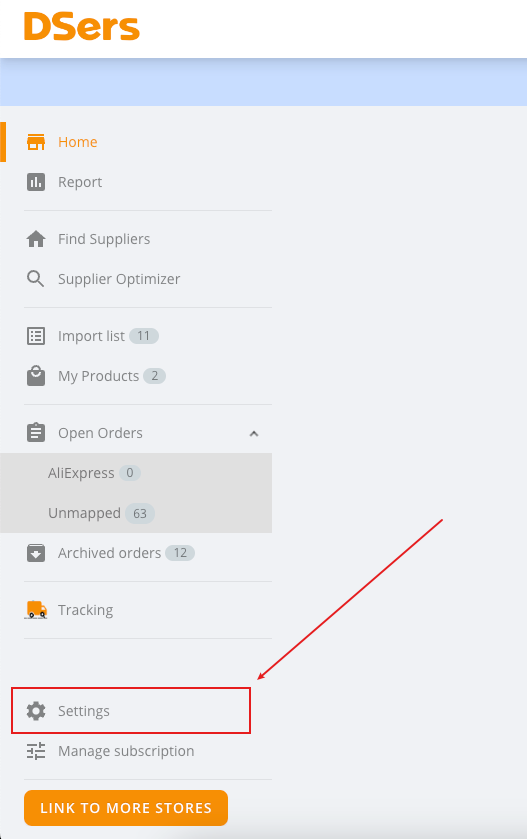
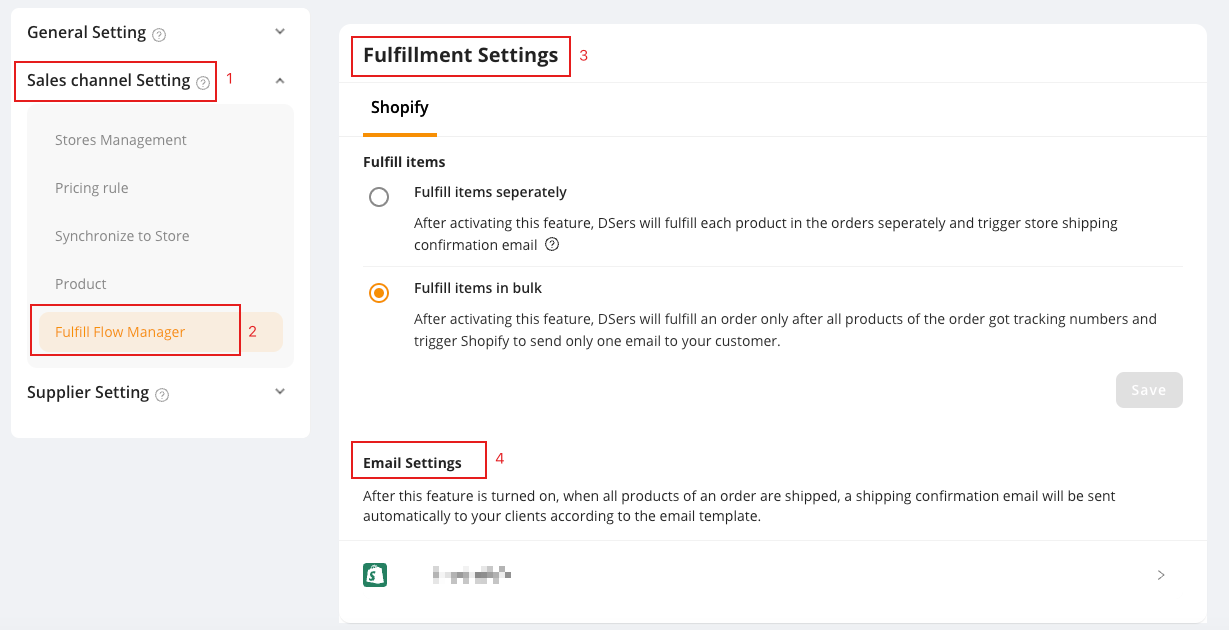
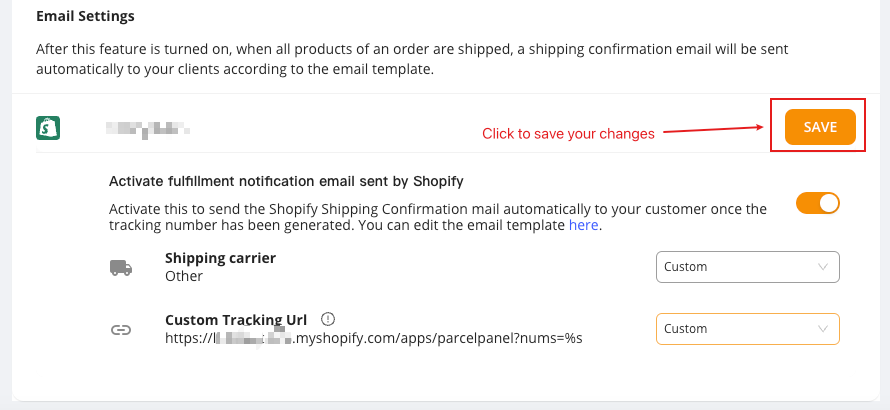
Go to your DSers admin → Settings → Sales channel Setting → Fulfill Flow Manager → Fulfillment Settings → Email Settings
Step 3
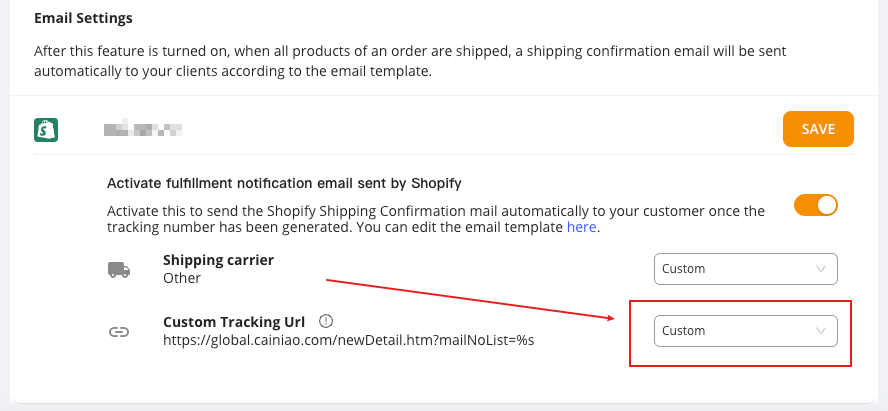
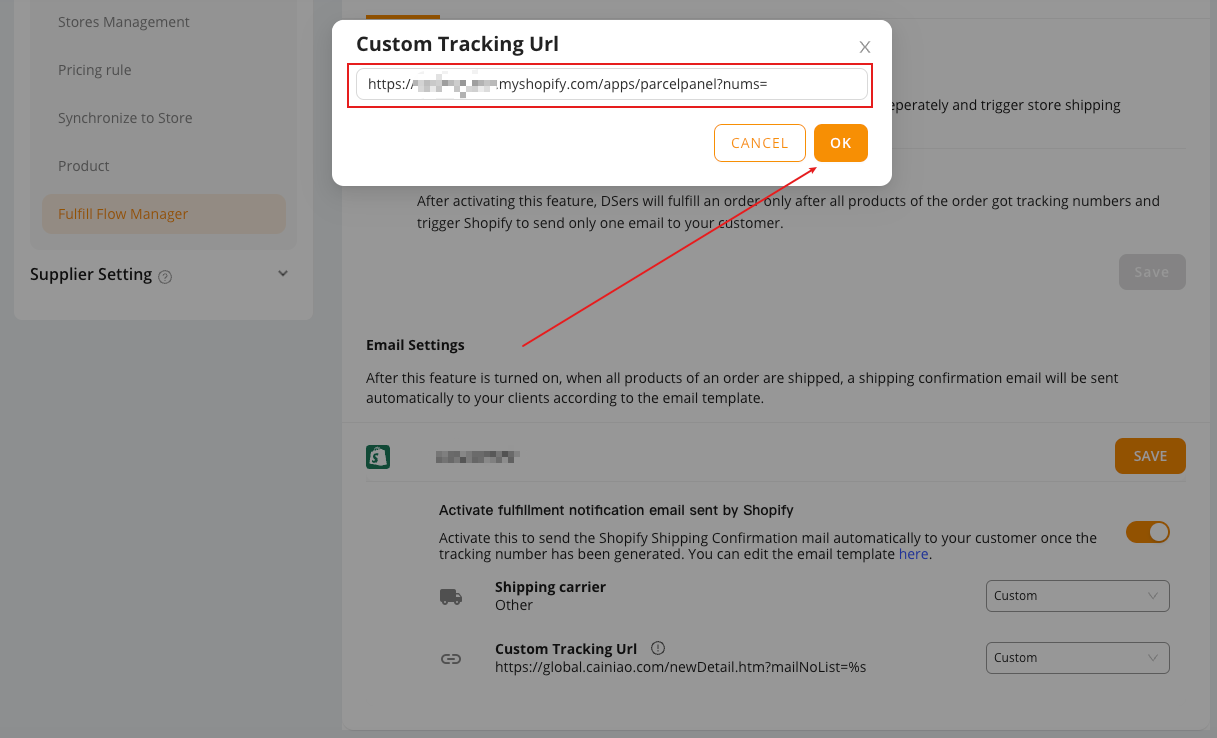
Select Custom from the dropdown menu as the Custom Tracking Url → paste your CWILL Tracking tracking link → save your changes
Need help? Feel free to contact us via online chat or email, our world-class 24/7 support team is always glad to help you 🧐