
This integration allows users to build a page from the PageFly side containing the CWILL Tracking order tracking form.
Here is the instruction
Step 1
Go to PageFly admin → open the page builder you want to add the CWILL Tracking order tracking form
Step 2
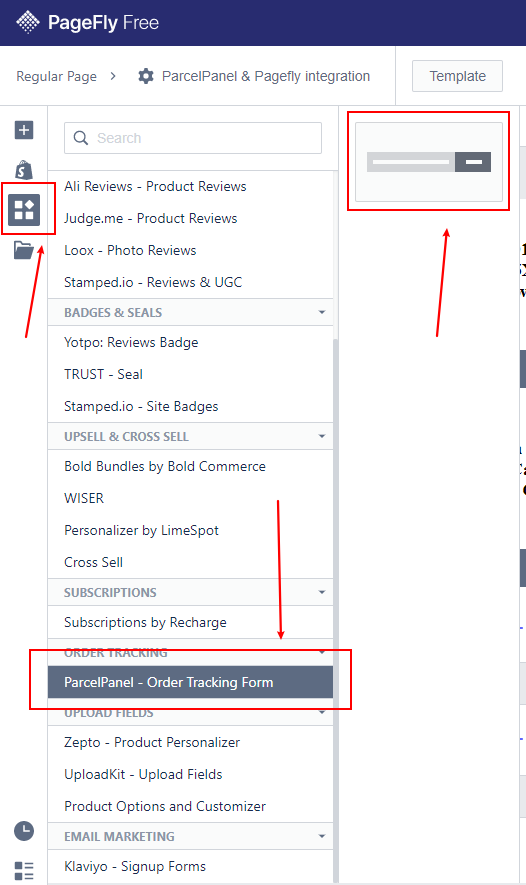
On the left navigation menu, click Add third party elements, scroll down to the ORDER TRACKING section, drag and drop the CWILL Tracking order tracking form to your layout to set it up.
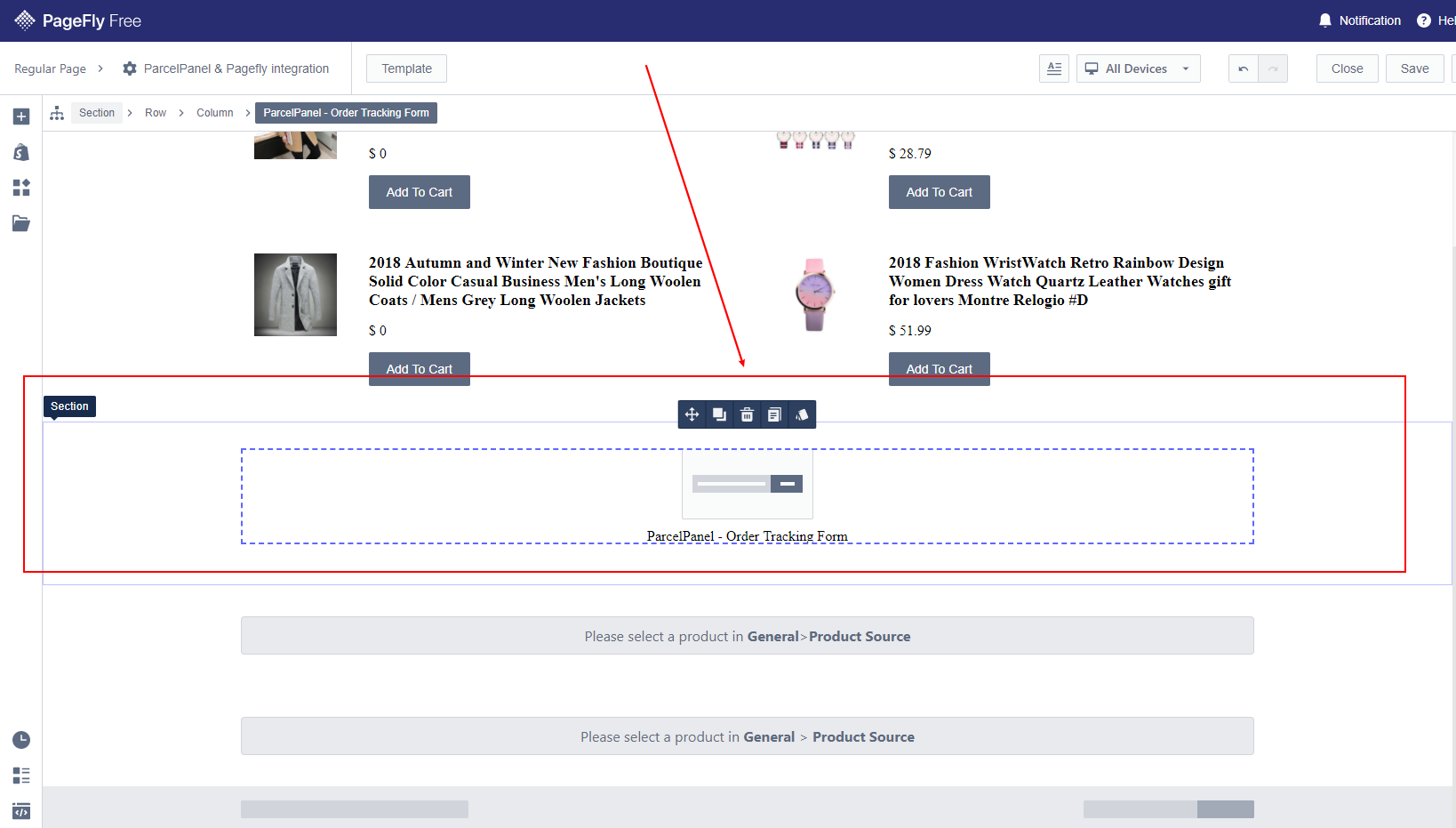
Note: any changes to the tracking page you did in your CWILL Tracking admin will be reflected in the order tracking form.
Need help? Feel free to contact us via online chat or email, our world-class 24/7 support team is always glad to help you 🧐